
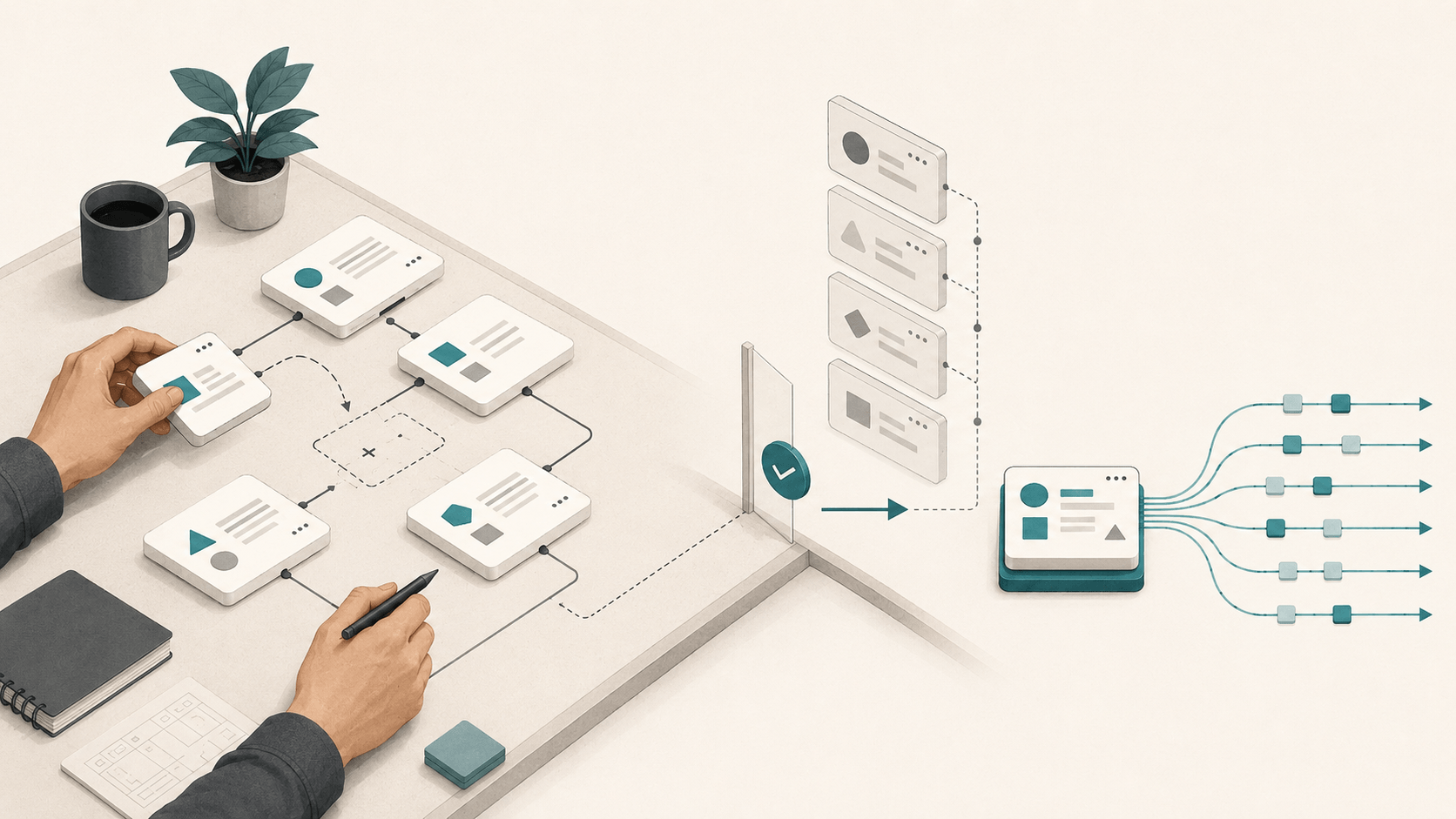
The question that kept bothering us was not, “How do we save workflow versions?”
It was this: if a request is waiting in a queue and someone edits the workflow before a worker picks it up, which configuration should that request run?
That question sounds narrow. It is not. Follow it far enough and it reaches prompts, models, fallback providers, output schemas, caches, sessions, backend callbacks, and every workflow called by another workflow.
We eventually arrived at a simple conclusion: an AI workflow needs a deployment boundary. Saving an edit and releasing it to production cannot be the same action.
This article is an engineering case study of the model we built around that conclusion. It is not an academic study, and it does not claim that immutable configuration makes an LLM deterministic. It describes the failure modes we wanted to remove, the invariants we chose, and the trade-offs that remain.
The mutable-row trap
The simplest workflow system has one database record. The editor writes to it; production reads from it. This is wonderfully easy to build.
It also means that Save is a deployment button, whether the interface calls it that or not.
Suppose a team changes a system instruction, updates a JSON schema, and replaces a fallback model during the same afternoon. If production reads the mutable record directly, those fields can reach users at different moments. Later, a request log may tell you which model ran, but not necessarily which complete set of executable settings existed when the request began.
The problem gets sharper when order_review calls fraud_check. Even if nobody edits order_review, its behavior can change when fraud_check changes. Production is no longer a single moving record; it is a moving graph.
We considered the familiar shortcuts: duplicate Draft and Live columns, copy the workflow row on every save, or rely on audit logs to rebuild an old state. Each helps for a while. None gives a clean answer to both of these questions:
- What configuration is serving production now?
- What configuration did this particular request start with?
Five invariants shaped the design
Before thinking about screens, we wrote down the behavior the system needed to preserve.
- Editing Draft must not change Live. A saved experiment is still an experiment.
- Publishing must be explicit and reviewable. The release should show behavioral changes, dependency movement, and operational warnings before Live moves.
- A published revision must be immutable. History is only useful if the past cannot quietly change.
- A request must keep one execution context. Queues and callbacks must not switch configuration halfway through a run.
- Recovery must not destroy history. Moving Live backward and bringing old content into Draft are different operations.
Those invariants led to an architecture with a mutable Draft, immutable revisions, and a Live pointer.
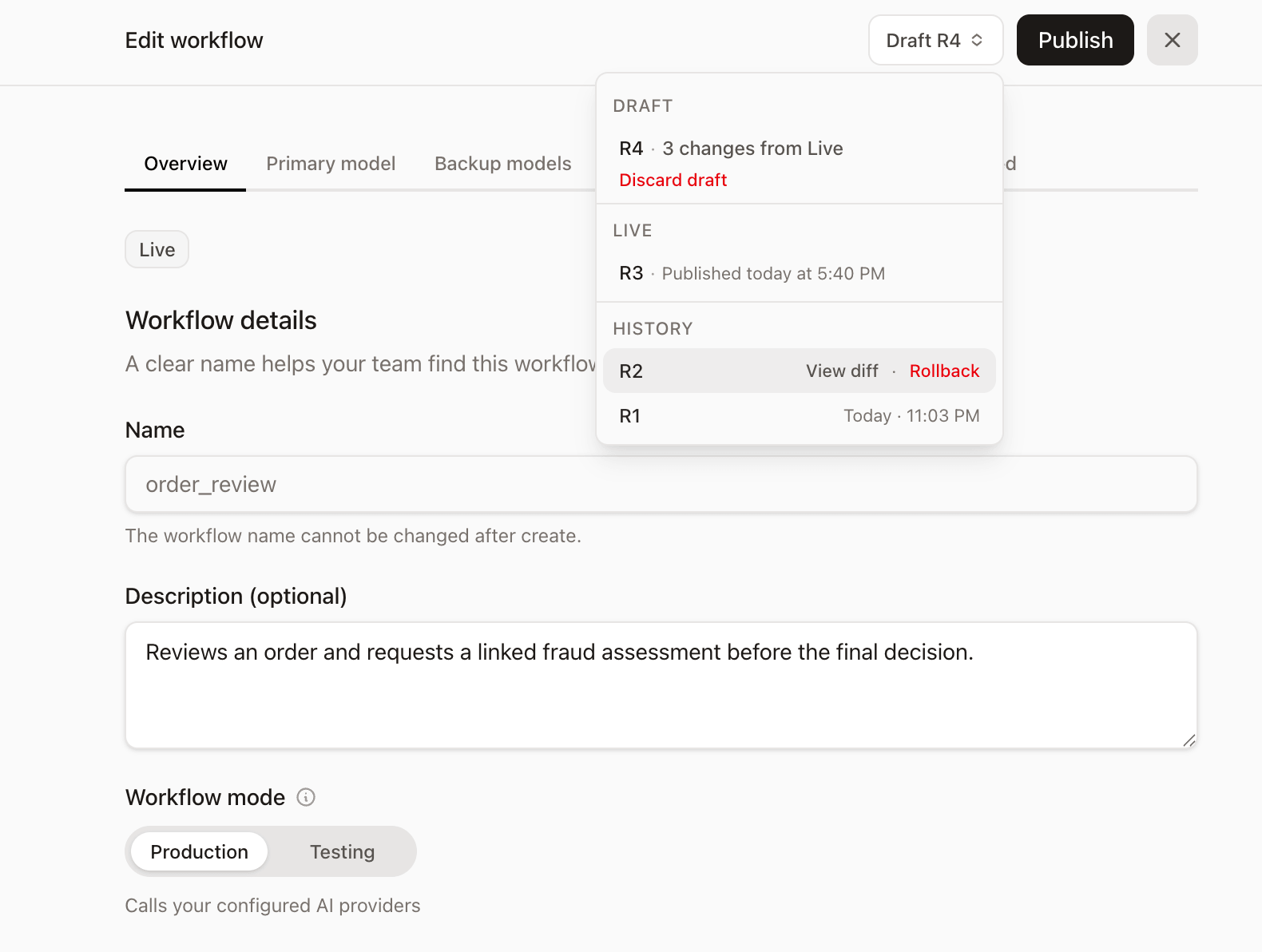
The stable workflow name remains the address used by the application. Production resolves that name, follows its Live pointer, and loads the referenced snapshot. Editing Draft does not move the pointer. Publishing and rollback do.
What a revision actually captures
A revision is a snapshot of executable workflow behavior, not a screenshot of the editor and not a copy of every descriptive field.
It includes the provider and model chain, request type, system instructions, customer fields, structured-output schema and example, cache and session settings, budget controls, pipeline steps, and pinned callback dependencies. Identity details such as a structure's database ID or display name are not treated as behavioral changes when its schema and example are unchanged.
We use two related comparisons because “did the workflow change?” has two meanings:
- A content fingerprint asks whether the workflow's own executable content changed.
- A snapshot hash also includes the exact Live revisions pinned for callback targets.
That distinction lets the console report two independent reasons for an unpublished Draft: its own content changed, or a dependency published a newer Live revision.
The lifecycle, from edit to production
1. Edit and save Draft
Draft is the mutable workspace. A team can change a prompt, provider order, output contract, cache window, session behavior, budgets, or backend pipeline without changing Live traffic.
There is also a small but meaningful UI rule: unsaved form changes show Save draft. Only after those edits are saved—and the system can compare the resulting Draft with Live—does Publish become the relevant action for an authorized user.
2. Test the configuration you mean to test
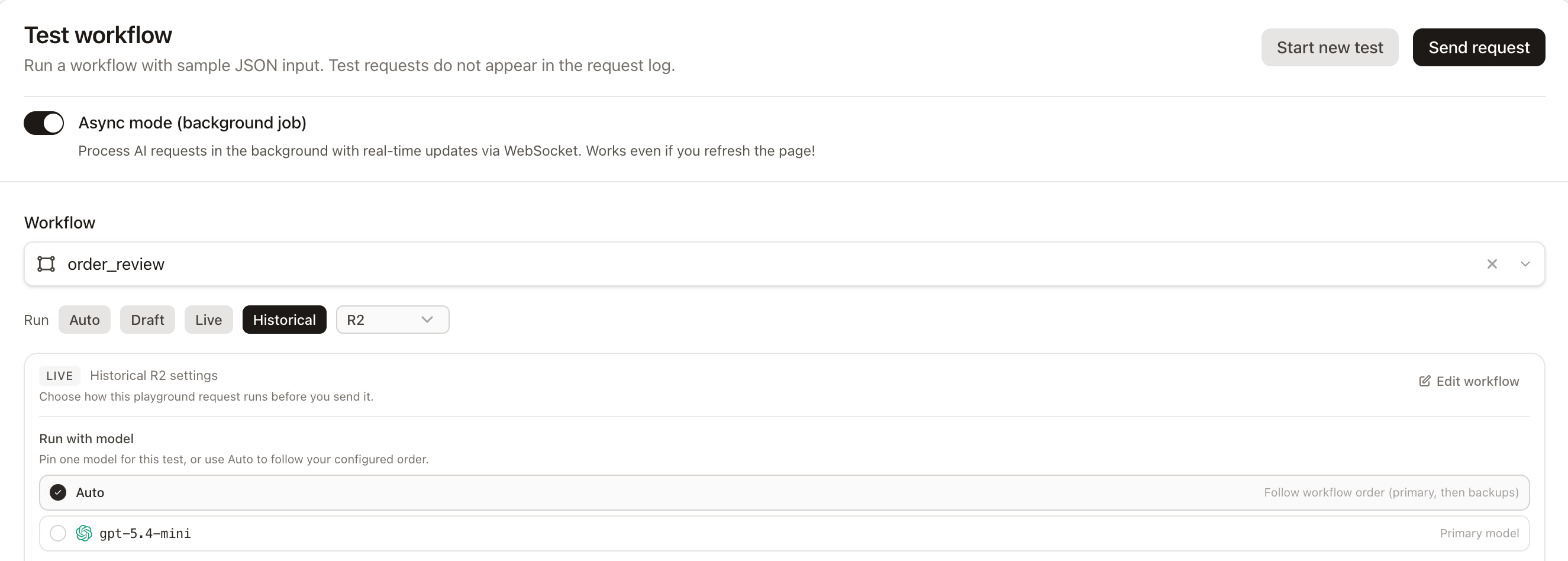
The Playground can run Auto, Draft, Live, or a historical revision. Auto selects Draft when unpublished changes exist; otherwise it selects Live.
Draft testing becomes subtle for asynchronous workflows. A queued job cannot safely read “whatever Draft looks like later.” When an async Playground request is accepted, the system persists a short-lived execution snapshot and gives the job that snapshot ID. The snapshot stays available while an active job or pending callback still references it, then becomes eligible for cleanup.
Live async requests use the published revision ID instead. In both cases, the selection made when the request starts survives the wait between acceptance and execution.
3. Review a semantic diff
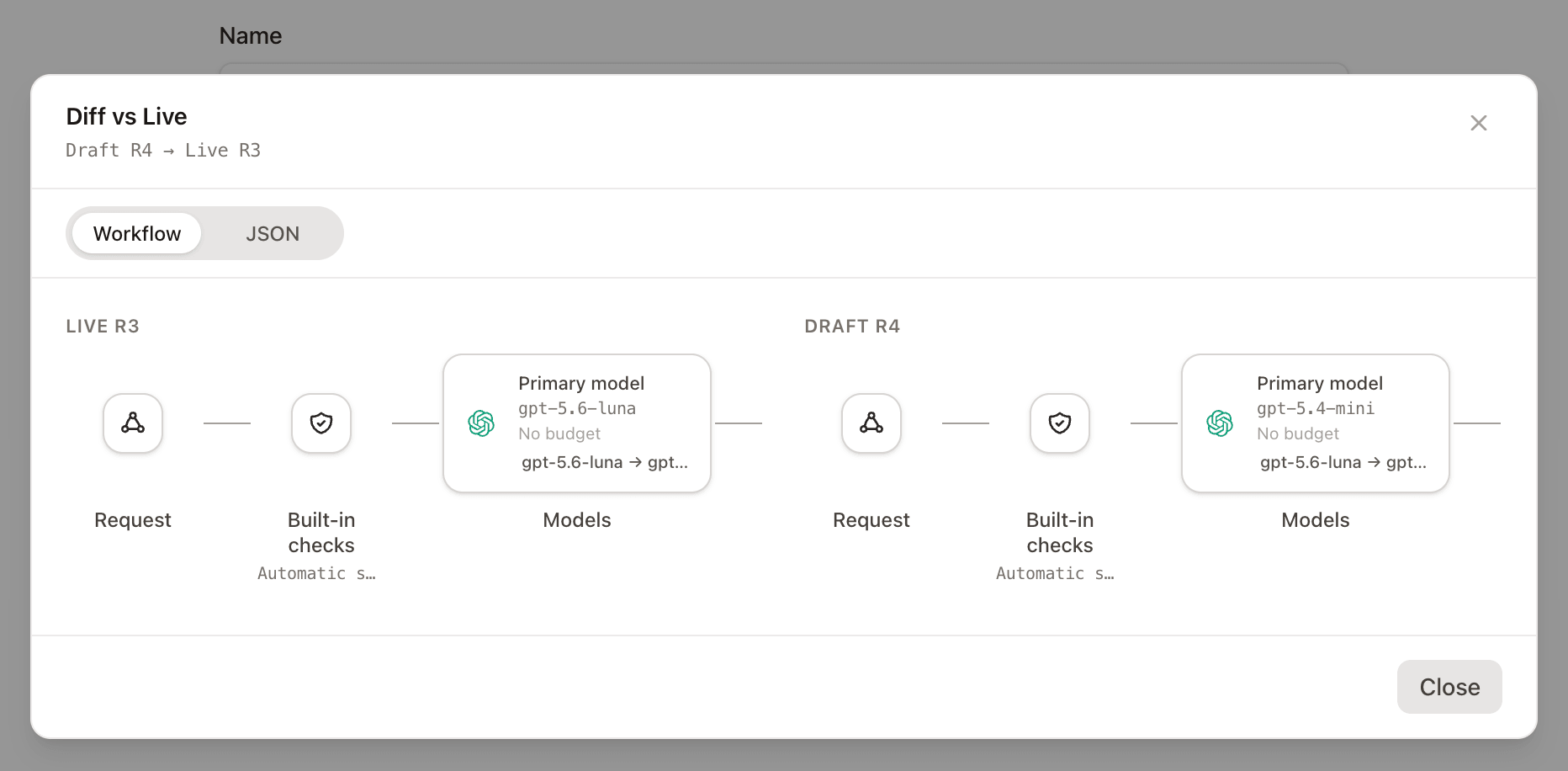
Database diffs are noisy. A useful release diff should answer operational questions: Did the primary model change? Did an instruction change? Did the output contract move? Was a pipeline step added? Did a callback target advance?
The release view therefore compares canonical snapshots and offers both a workflow view and raw JSON. The workflow view makes the pipeline shape visible; JSON remains available when an exact field-level inspection is needed.
4. Validate and publish
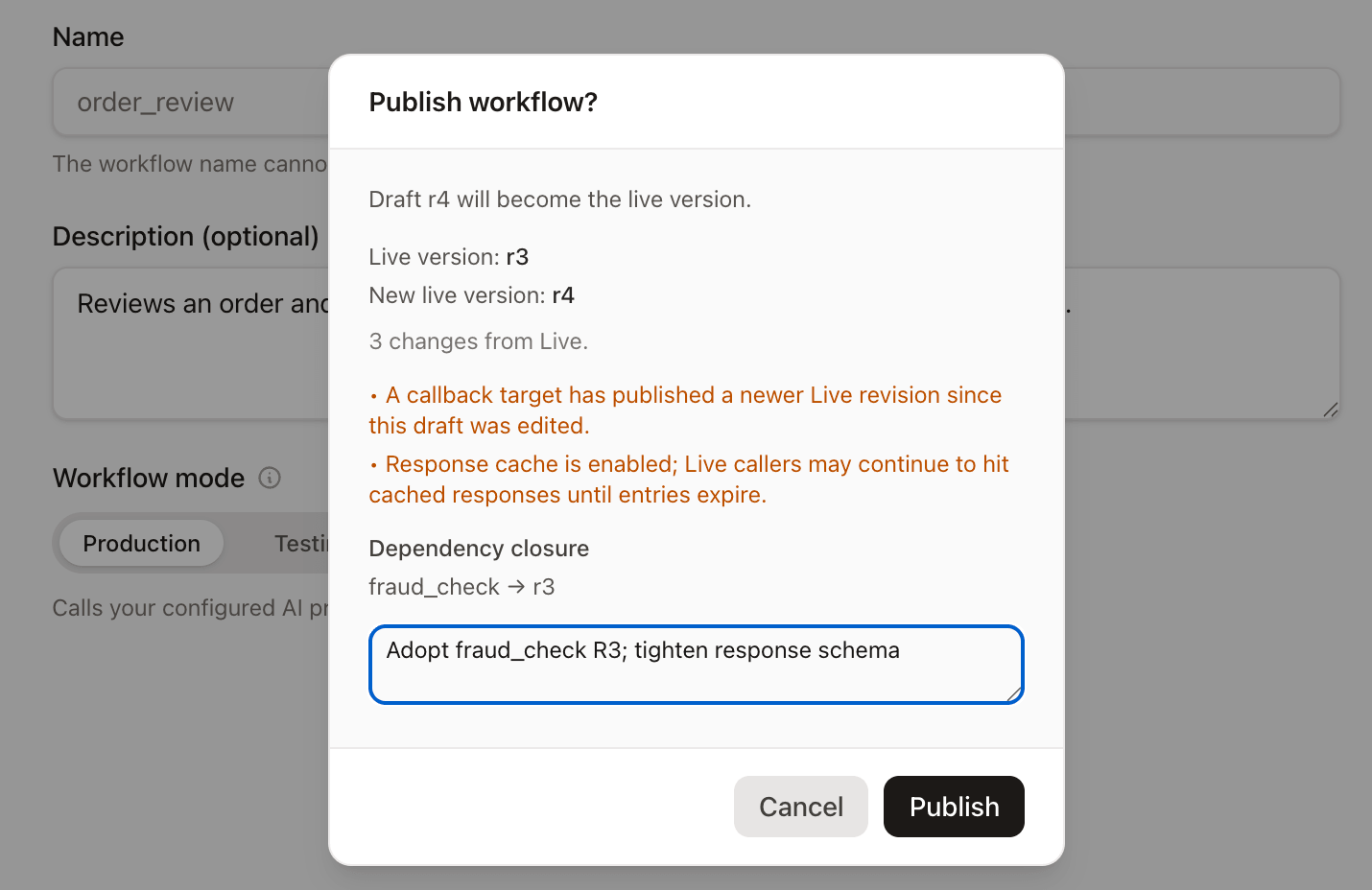
Publishing is a transaction, not a sequence of best-effort writes. The workflow is reloaded under a lock, the callback graph is checked for cycles, and every target must still be active and have a usable Live revision. This closes the gap between previewing a release and committing it while another change may be happening.
The review also surfaces details that a clean architecture diagram can hide:
- A callback target published a newer Live revision.
- Existing response-cache entries may continue to be served until they expire.
- Session memory can outlive the configuration change.
- A dependency pin may intentionally point to an older target revision.
After validation, the system creates—or reuses—an immutable revision with the same snapshot hash, records the release event and optional note, and moves the Live pointer. Publishing identical content is therefore a no-op rather than manufactured history.
Why dependency pins matter
Imagine Live order_review R7 calling Live fraud_check R3. Tomorrow, fraud_check publishes R4.
Should order_review silently start using R4? We decided it should not. R7 continues to pin fraud_check R3. Its released graph stays reproducible even though the target workflow has moved on.
The parent Draft can now report that a dependency's Live revision moved. Publishing the parent again is the explicit decision to adopt the newer dependency. This is slightly more work than “always use latest,” but it removes a particularly frustrating class of incidents: behavior changing in a workflow nobody touched.
There is one more practical detail. Deactivating a child workflow prevents new releases from pinning it, but it does not invalidate historical parent revisions that already reference it. Otherwise, deleting a current object could corrupt the meaning of old releases.
Async jobs and callbacks need the same pin
Long-running work exposes versioning mistakes that synchronous demos rarely show:
If each stage looks up a workflow by name, a publish can split one logical request across multiple revisions. The initial model call might use R4 while a later callback step uses R5.
To prevent that, Live jobs carry a revision ID, Draft jobs carry an execution-snapshot ID, and pending callback channels carry the same context forward. The promise is narrow but valuable: one request does not silently change its workflow configuration mid-flight.
This still does not make model output repeatable. Provider infrastructure, model revisions, sampling, and external tools can vary. What it does make repeatable is our side of the contract: the executable configuration selected for the request.
Rollback and restore are deliberately separate
These actions are easy to confuse because both begin with an older revision.
Rollback changes Live. It moves the pointer to an existing revision so new production requests use that known configuration. It does not delete the newer release and it does not publish the current Draft.
Restore changes Draft. It copies a historical snapshot back into the editable workspace. Live does not move. The team can modify the restored content, test it, compare it, and publish deliberately.
Structured output makes restore more complicated than copying a foreign key. If the original structure still exists in the same project and its schema and example still match, it can be reused. If it was changed or removed, restore creates a new structure with a unique name so the historical contract can be edited without overwriting an unrelated current object.
That behavior is not glamorous, but it is the sort of edge case that determines whether “restore” is trustworthy six months later.
What this design costs
The release boundary removes ambiguity; it does not remove complexity.
- The product now has Draft, Live, historical revisions, and short-lived execution snapshots to explain.
- Snapshot cleanup must understand queued jobs and pending callbacks, not only timestamps.
- Dependency pins trade automatic adoption for deliberate releases.
- Cache entries and session memory can span a publish, so the interface must warn rather than imply an instant universal cutover.
- Permissions matter: publishing and rollback have production impact, while restoring Draft is an editing operation.
These costs are real. For a personal prototype, a mutable row may still be the right choice. The release model becomes valuable when multiple people edit workflows, when requests are asynchronous, when workflows call one another, or when somebody must explain yesterday's production behavior with more than a guess.
A release audit for any AI workflow platform
The design is specific; the questions are portable. If you are evaluating or building workflow releases, ask:
- Does saving configuration affect production immediately?
- Is Live a durable pointer to immutable content?
- Are nested workflows pinned, or resolved as “latest” during execution?
- What happens to a queued job when a release occurs before it starts?
- Does a callback continue with the original execution context?
- Can a diff separate local edits from dependency movement?
- Do cache and session semantics remain honest across a release?
- Can operators roll back Live without destroying history?
- Can editors restore old content without changing Live?
The question we started with—what should that queued request run?—turned out to be a useful design test. If a system cannot answer it precisely, its release boundary is probably incomplete.
For us, the answer is no longer “whatever the workflow looks like when the worker wakes up.” It is the revision, or Draft execution snapshot, selected when the request began. That answer brings a quiet kind of relief: not because production can never surprise us, but because configuration no longer has to be one of the mysteries.
The implementation details are documented in the workflow releases guide. I would also be interested in how other teams handle dependency releases and long-running AI jobs; those are the two places where seemingly simple versioning models tend to reveal their assumptions.