What is event-driven AI?
Event-driven AI decouples AI generation from response delivery. Instead of waiting synchronously for an AI response, you fire an async request and let ModelRiver notify your backend when the result is ready. Your backend then runs custom logic: database writes, API calls, enrichment, validation: and calls back to ModelRiver, which delivers the final result to your frontend via WebSocket.
The three-step flow:
- AI generates: Your app calls
POST /v1/ai/asyncwith a workflow that has anevent_name. ModelRiver processes the AI request in the background. - Your backend processes: ModelRiver delivers the AI result to your webhook endpoint. Your code executes custom business logic (save to database, call external APIs, validate, enrich).
- ModelRiver delivers: Your backend calls the
callback_urlwith the enriched data. ModelRiver broadcasts the final result to connected WebSocket clients in real time.
Why event-driven?
| Benefit | Description |
|---|---|
| Non-blocking | Your frontend never waits for AI + backend processing. Users see instant "processing" states. |
| Custom logic before delivery | Validate AI output, enrich with database data, trigger side effects: all before the user sees the result. |
| Reliable delivery | ModelRiver handles retries, timeouts, and dead-letter queues for webhook delivery. |
| Observable | Every step is logged in the Timeline: AI request, webhook delivery, backend callback. |
| Scalable | Process thousands of concurrent AI requests without blocking web servers. |
How it works
┌──────────┐ POST /v1/ai/async ┌──────────────┐│ Your │ ──────────────────────────▶ │ ModelRiver ││ App │ { workflow, messages } │ (AI engine) ││ │ ◀────────────────────────── │ ││ │ { channel_id, ws_token } │ │└──────────┘ └──────┬───────┘ │ │ │ Connect WebSocket │ AI processes │ (ai_response:{project}:{channel}) │ in background │ ▼ │ ┌──────────────┐ │ │ Webhook │ │ │ delivery │ │ └──────┬───────┘ │ │ │ ▼ │ ┌──────────────┐ │ │ Your │ │ │ Backend │ │ │ (webhook) │ │ └──────┬───────┘ │ │ │ │ POST callback_url │ │ { data, task_id } │ ▼ │ ┌──────────────┐ │ WebSocket push │ ModelRiver │ │ ◀──────────────────────────────── │ (callback) │ │ { status: "completed", data } └──────────────┘ ▼┌──────────┐│ Frontend │ Renders final result└──────────┘Quick start
1. Create a workflow with an event name
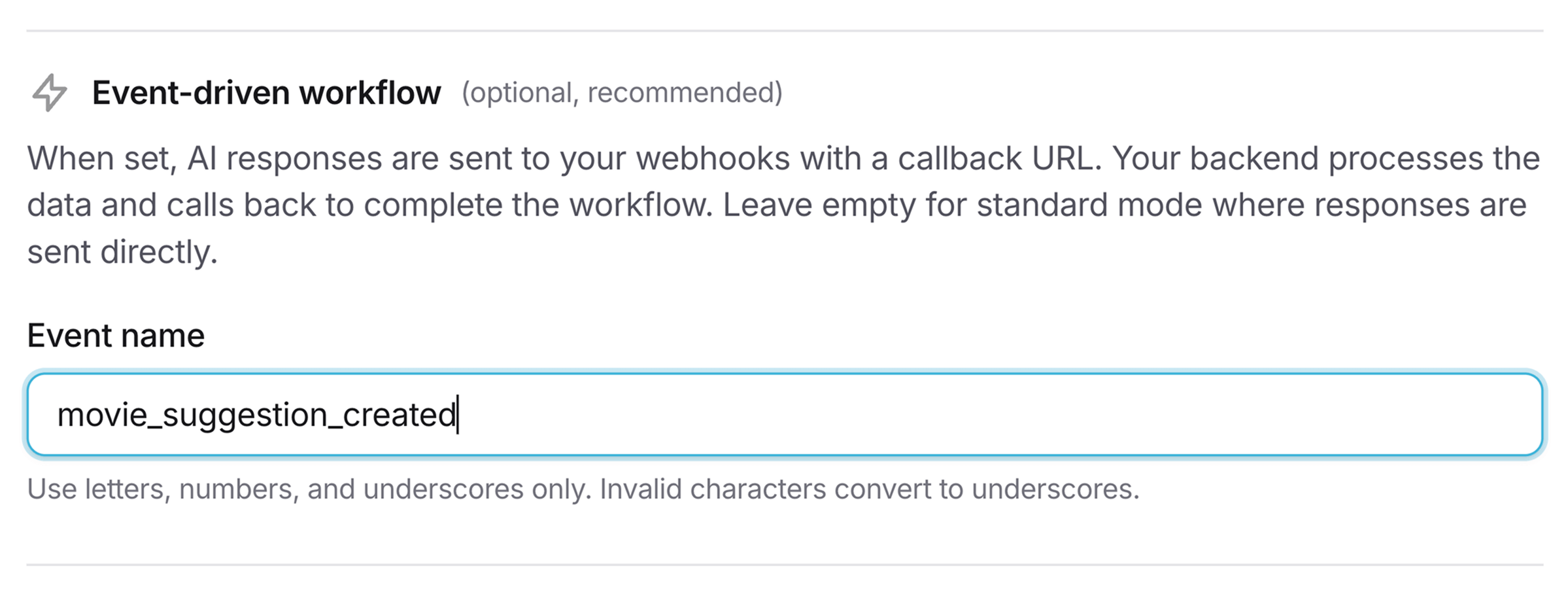
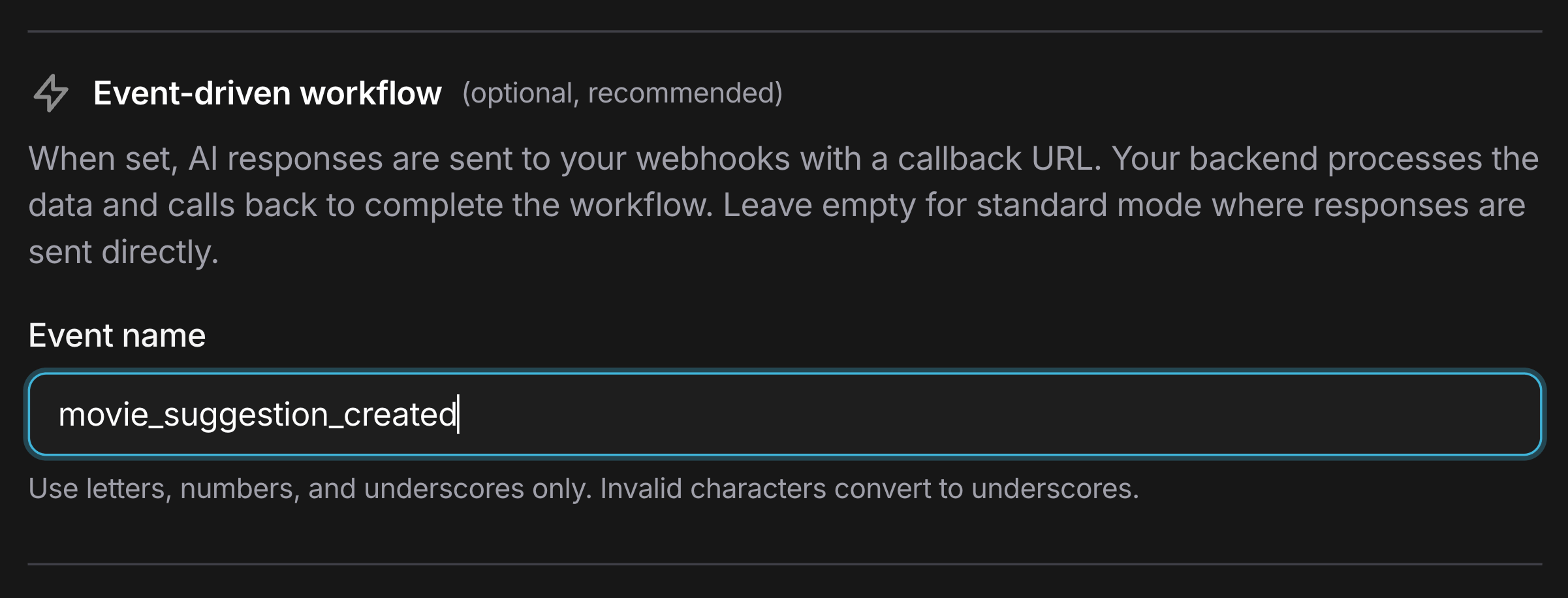
In the ModelRiver console, create a workflow and set the Event name field. This tells ModelRiver to use the event-driven flow instead of returning the AI response directly.
2. Send an async request
curl -X POST https://api.modelriver.com/v1/ai/async \ -H "Authorization: Bearer mr_live_your_key" \ -H "Content-Type: application/json" \ -d '{ "model": "content_generator", "messages": [ {"role": "user", "content": "Generate a product description for wireless headphones"} ], "metadata": { "product_id": "prod_123", "category": "electronics" } }'Response:
1{2 "message": "success",3 "status": "pending",4 "channel_id": "550e8400-e29b-41d4-a716-446655440000",5 "ws_token": "AbC123XyZ...one-time-token",6 "websocket_url": "wss://api.modelriver.com/socket",7 "websocket_channel": "ai_response:proj_xyz:550e8400-e29b-41d4-a716-446655440000"8}3. Receive the webhook
ModelRiver sends the AI result to your registered webhook endpoint:
1{2 "type": "task.ai_generated",3 "event": "content_ready",4 "channel_id": "550e8400-e29b-41d4-a716-446655440000",5 "ai_response": {6 "data": {7 "title": "ProSound X1 Wireless Headphones",8 "description": "Experience crystal-clear audio...",9 "features": ["Active noise cancellation", "40-hour battery"]10 }11 },12 "callback_url": "https://api.modelriver.com/v1/callback/550e8400-e29b-41d4-a716-446655440000",13 "callback_required": true,14 "customer_data": {15 "product_id": "prod_123",16 "category": "electronics"17 },18 "meta": {19 "workflow_name": "content_generator",20 "provider": "openai",21 "model": "gpt-4o"22 },23 "timestamp": "2026-02-15T08:30:00.000Z"24}4. Process and call back
Your backend processes the AI output and calls the callback_url:
1// POST {callback_url}2await fetch(callbackUrl, {3 method: "POST",4 headers: {5 "Authorization": `Bearer ${process.env.MODELRIVER_API_KEY}`,6 "Content-Type": "application/json",7 },8 body: JSON.stringify({9 data: {10 ...aiResponse.data,11 slug: generateSlug(aiResponse.data.title),12 seo_keywords: await generateKeywords(aiResponse.data),13 saved_at: new Date().toISOString(),14 },15 task_id: `product_${productId}`,16 }),17});5. Frontend receives the final result
The connected WebSocket client receives the enriched response:
1{2 "status": "completed",3 "data": {4 "title": "ProSound X1 Wireless Headphones",5 "description": "Experience crystal-clear audio...",6 "features": ["Active noise cancellation", "40-hour battery"],7 "slug": "prosound-x1-wireless-headphones",8 "seo_keywords": ["wireless headphones", "noise cancelling"],9 "saved_at": "2026-02-15T08:30:02.000Z"10 },11 "customer_data": {12 "product_id": "prod_123",13 "category": "electronics"14 }15}Webhook payload reference
Headers
| Header | Description |
|---|---|
Content-Type | application/json |
mr-signature | HMAC-SHA256 signature for verification |
X-ModelRiver-Timestamp | Unix timestamp of the delivery |
X-ModelRiver-Webhook-Id | Webhook endpoint ID |
Payload fields
| Field | Type | Description |
|---|---|---|
type | string | Always "task.ai_generated" for event-driven workflows |
event | string | Your custom event name from the workflow |
channel_id | string | Unique request identifier |
ai_response | object | The AI-generated data wrapped in { data: ... } |
callback_url | string | URL to POST your processed result back to ModelRiver |
callback_required | boolean | true: ModelRiver is waiting for your callback |
customer_data | object | Cached fields from your request metadata |
meta | object | Workflow, provider, and model information |
timestamp | string | ISO 8601 timestamp |
Callback API
After processing the AI response, POST your enriched data to the callback_url.
Headers:
Authorization: Bearer {your_api_key}Content-Type: application/json
Success payload:
1{2 "data": {3 "your_enriched_fields": "..."4 },5 "task_id": "optional_tracking_id",6 "metadata": {7 "processing_time_ms": 2348 }9}Error payload:
1{2 "error": "processing_failed",3 "message": "Database connection timeout"4}Timeout: If your backend doesn't call back within 5 minutes, ModelRiver sends a timeout error to the WebSocket channel and marks the request as failed.
Signature verification
Always verify the mr-signature header to ensure webhook payloads are genuinely from ModelRiver:
1const crypto = require("crypto");2 3function verifySignature(payload, signature, secret) {4 const expected = crypto5 .createHmac("sha256", secret)6 .update(JSON.stringify(payload))7 .digest("hex");8 9 return crypto.timingSafeEqual(10 Buffer.from(signature),11 Buffer.from(expected)12 );13}Use cases
| Use case | Event name | What your backend does |
|---|---|---|
| Content generation | content_ready | Save to CMS, generate SEO metadata, create thumbnails |
| Code review | review_complete | Post comments to GitHub PR, update ticket status |
| Data extraction | entities_extracted | Validate against schema, write to database, trigger downstream workflows |
| Customer support | ticket_classified | Route to correct team, update CRM, send notification |
| Document processing | summary_generated | Store in knowledge base, index for search, notify stakeholders |
Backend framework guides
Step-by-step guides for implementing event-driven AI in your framework:
| Framework | Language | Guide |
|---|---|---|
| Next.js | TypeScript | View guide → |
| Nuxt.js | TypeScript | View guide → |
| Django | Python | View guide → |
| FastAPI | Python | View guide → |
| Laravel | PHP | View guide → |
| Rails | Ruby | View guide → |
| Phoenix | Elixir | View guide → |
| Spring Boot | Java | View guide → |
| .NET | C# | View guide → |
Serverless database guides
Use event-driven AI with serverless databases to build fully reactive data pipelines:
| Platform | Guide |
|---|---|
| Supabase | View guide → |
| PlanetScale | View guide → |
| Neon | View guide → |
| Convex | View guide → |
Next steps
- Webhooks: Full webhook configuration and management
- Client SDK: Frontend WebSocket integration
- Observability: Monitor the entire event-driven flow
- API endpoints: Async request reference