Three-step flow
Backend pipeline workflows enable a powerful processing pipeline:
- AI generates – ModelRiver processes the AI request with your configured provider
- You process – Your backend receives the AI output and executes custom logic (database updates, tool calls, validation, enrichment)
- Final response – You call back to ModelRiver, which broadcasts the completed result to WebSocket channels
When to use backend pipeline workflows
- Execute tool/function calls based on AI output
- Validate and enrich AI responses with database data
- Implement multi-step workflows with approval gates
- Trigger side effects (notifications, database updates) before returning to users
Setting up
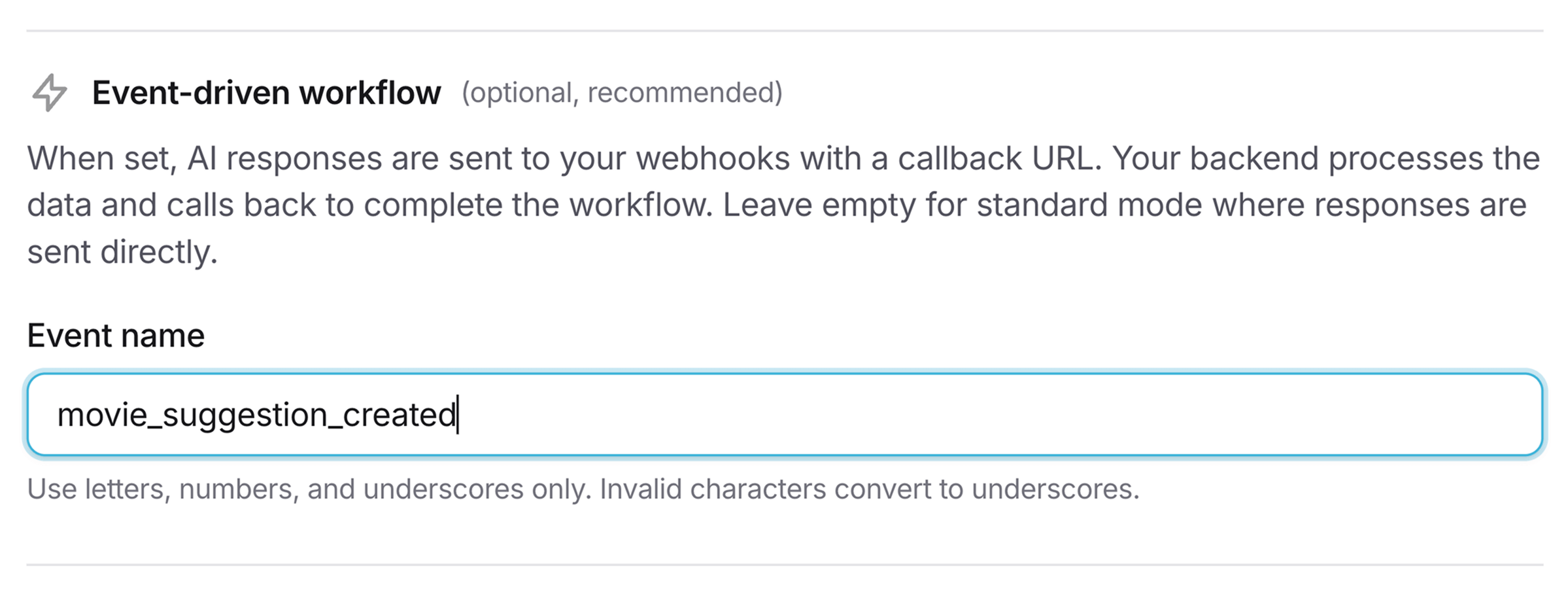
1. Add an event name to your workflow
When creating or editing a workflow in the console, set the Event name field.
2. Webhook payload
When a workflow with an event_name completes, ModelRiver sends the usual webhook envelope (callback_url, channel_id, data, timestamp). The event payload under data has these key differences from standard webhooks:
typeistask.ai_generated(standard workflow events have notypefield)eventcontains your custom event nameai_responsewraps the AI-generated data inai_response.datacallback_urlis provided for you to call back to ModelRivercallback_required: trueindicates ModelRiver is waiting for your callback
1{2 "callback_url": "https://api.modelriver.com/v1/callback/550e8400-e29b-41d4-a716-446655440000",3 "channel_id": "550e8400-e29b-41d4-a716-446655440000",4 "data": {5 "type": "task.ai_generated",6 "event": "new_movie_suggestion",7 "channel_id": "550e8400-e29b-41d4-a716-446655440000",8 "step_index": 0,9 "total_steps": 1,10 "step_type": "backend",11 "pipeline": {12 "workflow_id": "7c9e6679-7425-40de-944b-e07fc1f90ae7",13 "workflow_name": "movie_suggester",14 "step_name": "new_movie_suggestion"15 },16 "ai_response": {17 "status": "pending",18 "data": {19 "title": "Inception",20 "year": 2010,21 "director": "Christopher Nolan"22 }23 },24 "callback_url": "https://api.modelriver.com/v1/callback/550e8400-e29b-41d4-a716-446655440000",25 "callback_required": true,26 "customer_data": {27 "metadata.user_id": "user_456"28 }29 },30 "timestamp": 176761649631}Verify the x-modelriver-signature header before acting on the payload. It signs <x-modelriver-timestamp>.<data>, where <data> is the exact JSON text of the data value in the raw body; see Signature verification.
3. Process and call back
After executing your custom logic, call back to ModelRiver with the enriched data:
1// Your backend processes the AI response (body.data.ai_response)2const enrichedData = await processAIResponse(aiResponse.data);3 4// Call back to ModelRiver5await axios.post(callbackUrl, {6 data: enrichedData,7 task_id: "movie_123",8 metadata: { processing_time_ms: 234 }9}, {10 headers: {11 'Authorization': `Bearer ${process.env.MODELRIVER_API_KEY}`,12 'Content-Type': 'application/json'13 }14});4. Frontend receives final response
ModelRiver broadcasts the final response to the WebSocket channel. Its data is the AI output with the fields you sent in your callback's data merged on top, so your frontend receives both the AI-generated fields and your enrichments.
Timeout handling
If your backend doesn't call back within 10 minutes, ModelRiver automatically:
- Sends a
callback_timeouterror to the WebSocket channel - Records the backend callback as timed out in the request's timeline
- Closes the channel, so a late callback is rejected (
404 channel_not_foundor410 channel_expired)
The original AI request stays logged as successful; only the callback step is marked as timed out. In multi-step pipelines, the 10-minute window restarts each time the pipeline advances to a new step.
Testing in the playground
The playground automatically simulates the complete backend pipeline flow when testing workflows with event_name set. After ~1.5s delay, a simulated callback response is generated so you can validate your workflow logic before production.
Next steps
- Signature verification: Secure your webhook endpoints
- Delivery & retries: Understand retry policies
- Workflows: Configure backend pipeline settings