July focused on helping teams control AI spend in production without sacrificing workflow flexibility. We shipped spending limits and cost guardrails at the workflow and project level, multi-step backend pipelines, a cleaner workflow builder, better request log filtering, and free public cost calculators.
AI spending limits and cost guardrails
We added spending limits so teams can cap AI costs before a runaway bill shows up. Limits work at the model slot level inside a workflow and at the project level across production traffic.
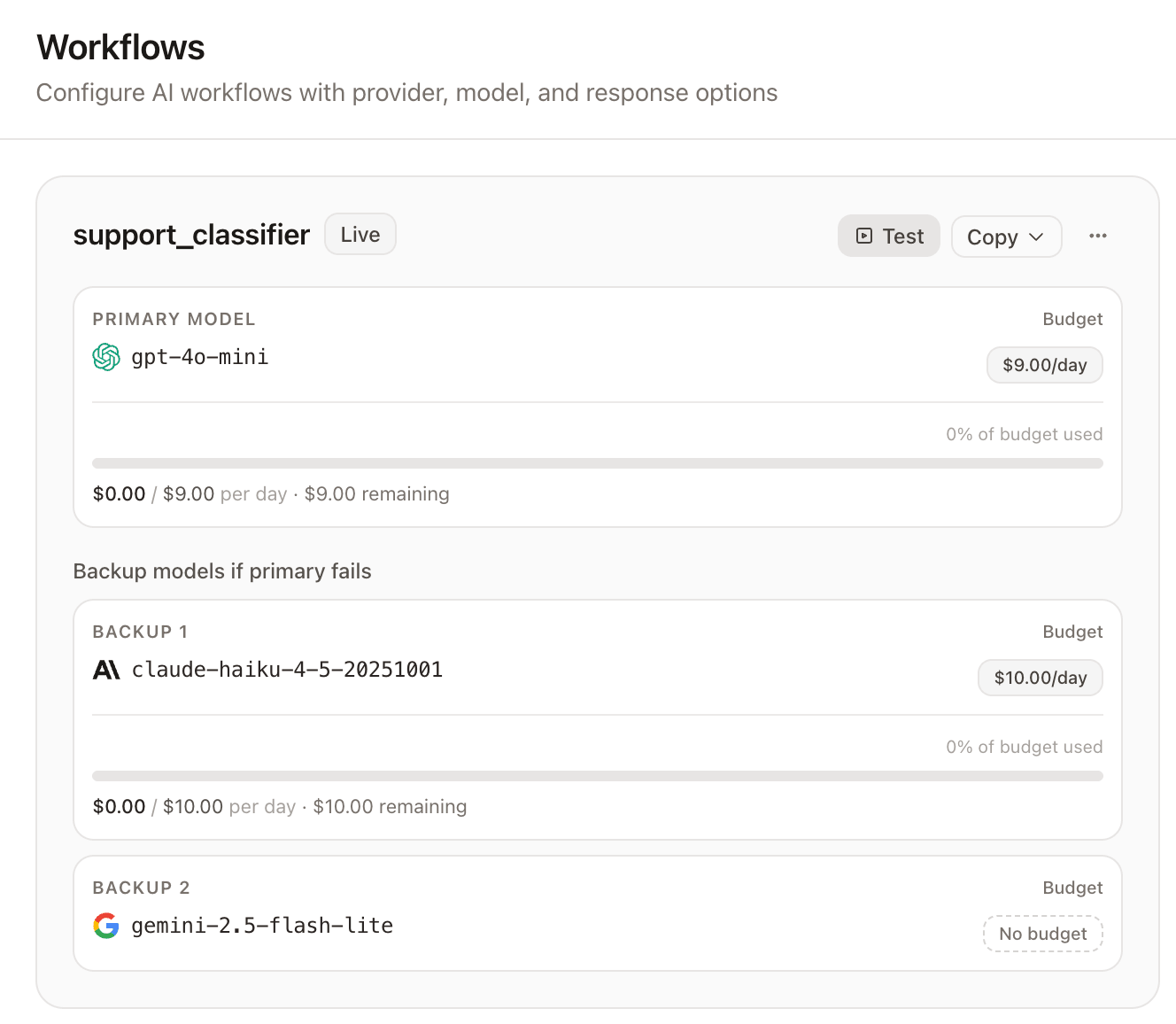
What shipped:
- Per-model spend caps with hourly, daily, weekly, and monthly periods
- Soft budget enforcement that fails over to backup models instead of hard-stopping traffic
- Project-level spend caps shared across production workflows
- Spend visibility on overview and workflow cards with alerts at 80% and 90%
- Budget guardrail events in request logs
See spending limits for configuration, the AI spending limits overview for how guardrails fit production workflows, and cost analytics for tracking spend over time.
Multi-step backend pipeline workflows
ModelRiver now supports chained backend webhooks and callback AI steps in a single workflow. Teams can build pipelines where AI generation, backend processing, and follow-up AI steps run in sequence without stitching together separate integrations.
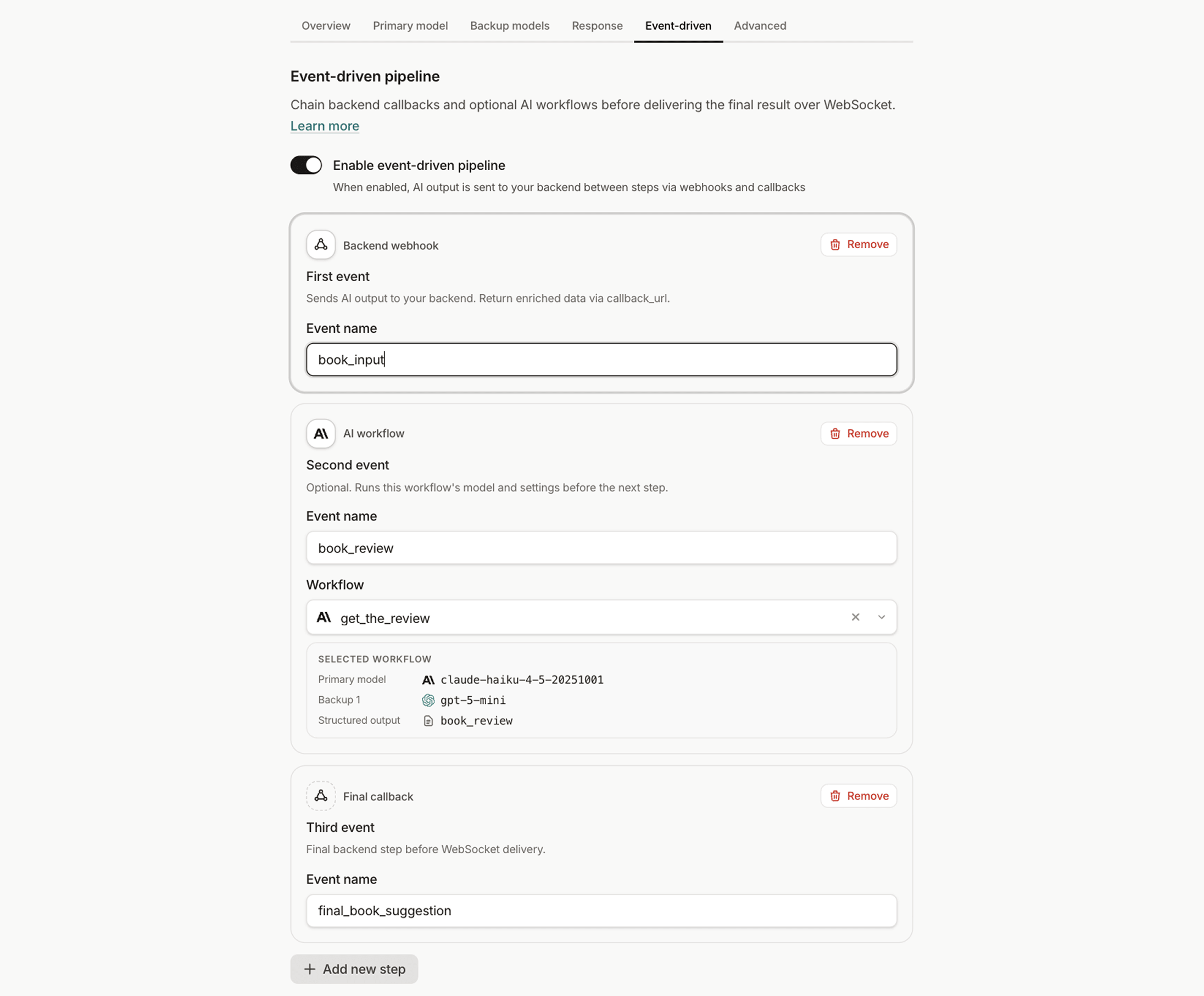
What shipped:
- Pipeline editor and preview in the console
- Playground support for testing multi-step flows end to end
- Documentation for chained steps and callback patterns
Follow the multi-step pipeline guide for setup details, or start with the backend pipeline overview. Test callbacks locally with the CLI callback command.
Workflow builder and playground UX
The workflow console got a full redesign to make complex setups easier to scan and edit. Creating and tuning workflows should feel closer to editing a product surface than wiring infrastructure.
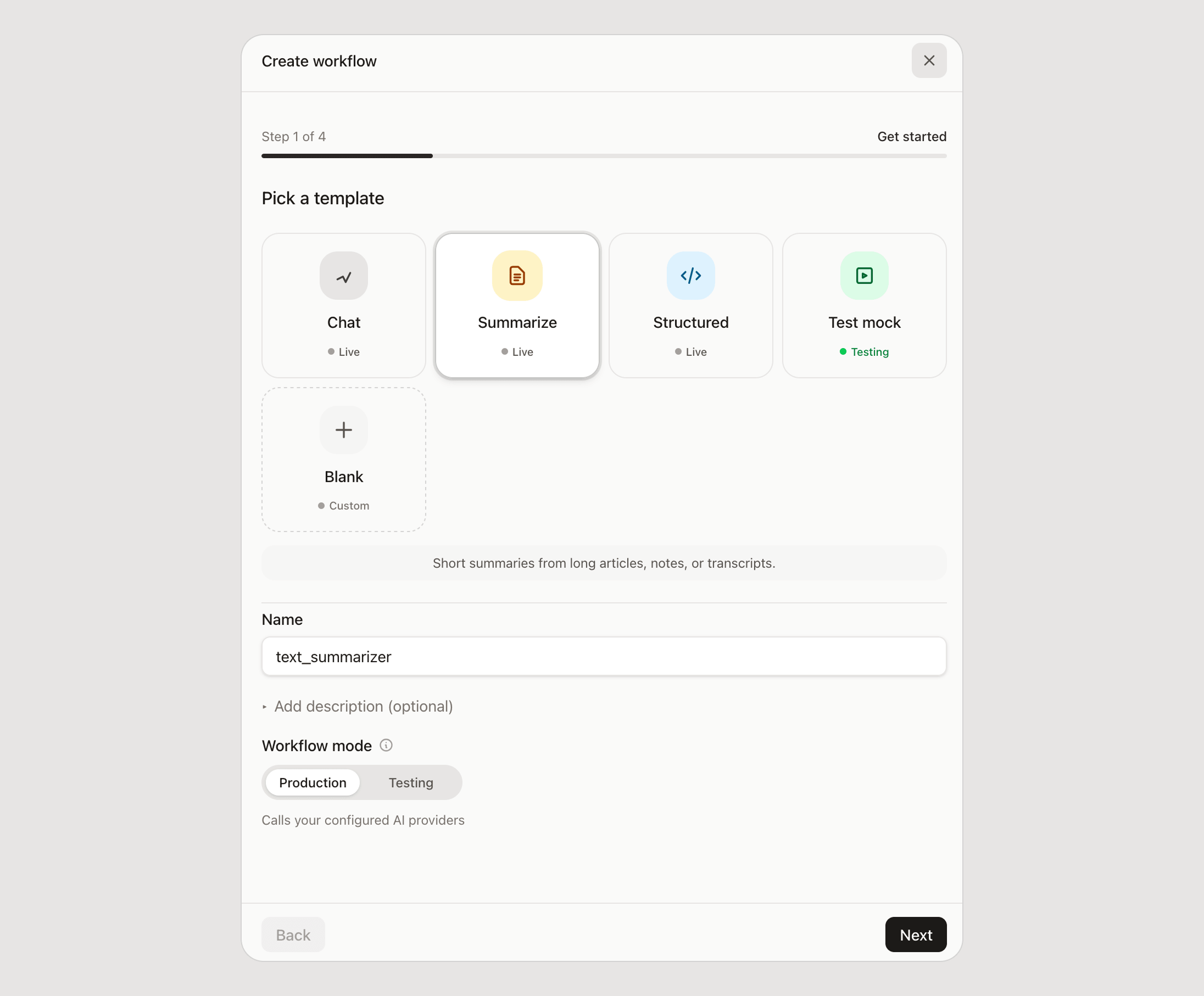
What shipped:
- Fullscreen workflow editor and cleaner workflow list cards
- Simplified create wizard with Primary model and Backup models steps
- Drag-to-reorder models in the failover path
- Playground model pinning to test a specific workflow slot
Start in the console, or follow build a workflow and Test Mode docs to try changes safely before production.
Request logs improvements
Request logs are easier to use when debugging production traffic or tracing a failed workflow run. Filtering and navigation got tighter so teams can find the right request faster.
What shipped:
- Source and endpoint filters via request URL type
- Timeline refresh and clearer back navigation between log views
- Improved browsing when moving between related requests
Read request logs for the full reference, or timeline observability for how events appear across multi-step flows.
Public AI cost calculators
We published free calculators on the marketing site so teams can estimate token usage and model cost before signing up. Both tools use the current provider catalog.
- Token calculator for estimating input and output tokens
- AI pricing calculator for comparing model cost across providers
Also this month
We refreshed the provider catalog so routing, credential checks, and public pricing data stay aligned with current working models.
New providers: Azure OpenAI and Amazon Bedrock
ModelRiver now supports Azure OpenAI and Amazon Bedrock as first-class provider options.
- Azure OpenAI uses your Azure API key plus the resource OpenAI v1 base URL. Workflow model names must match your Azure deployment names.
- Amazon Bedrock uses a Bedrock API key (Bearer token) plus your regional Bedrock Runtime base URL, with Converse API access to Nova and Claude 5-family models (Fable 5, Opus 5, Sonnet 5, Haiku 4.5). Claude entries use US inference profile IDs (required for on-demand). Streaming is not supported yet for Bedrock.
Connect either provider in the console, pick a catalog model, and use them in workflows with the same failover and observability path as existing providers.
Catalog refresh: Claude Opus 5 and current frontier models
We updated the seeded provider catalog to current GA releases:
- Anthropic: added
claude-opus-5($5/$25); kept Opus 4.8 as a previous Opus option - Amazon Bedrock: Claude lineup refreshed to US inference profiles for Fable 5, Opus 5, Sonnet 5, and Haiku 4.5
- Azure OpenAI: added GPT-5.6 Sol / Terra / Luna deployment names (Global Standard pricing)
- OpenAI: GPT-5.6 Sol/Terra/Luna context metadata corrected to the 1M-class window; Terra/Luna prices updated to $2/$12 and $0.20/$1.20; deprecated o-series and original GPT-5 SKUs removed from the curated catalog
- Groq: removed Llama 3.1/3.3 (shutdown Aug 16) and added
qwen/qwen3.6-27b - xAI / Qwen / Mistral: added
grok-4.3andqwen3.6-plus; corrected Mistral Small pricing to $0.15/$0.60